
Updated on 2026-02-23
views
5min read
What happens when the one thing you rely on every day — the iPhone Power button, suddenly stops working? You can’t lock the screen as normal and you’re afraid to even try, because how would you turn it back on, right? Besides that, there are plenty of things you depend on the power button for, from using Apple Pay to restarting your iPhone when it freezes.
You are in the right place! In this guide, we’ll look at how to fix the iPhone power button not working issue, making it responsive again. We’ll also look at alternative ways to use your iPhone without power button if it’s a hardware issue.
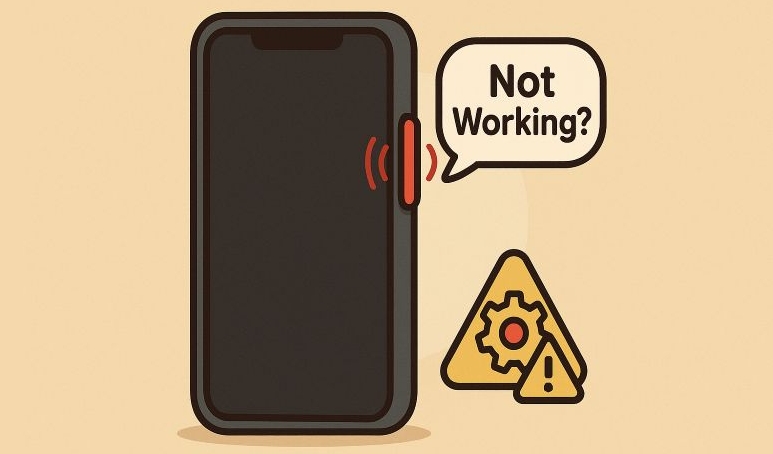
Inconvenience Caused by Unresponsive Power Button
When the iPhone power button stops working, even the simplest actions begin to feel like full-length procedures. For instance:
- You can’t quickly turn off or lock the screen.
- Apple Pay becomes unusable, since double-clicking the side button is the trigger.
- You can’t take screenshots or activate Emergency SOS.
- Restarting the iPhone during crashes or freezes will be problematic.
- Transferring data or entering DFU mode becomes tricky.
All of this makes the experience frustrating, since the power button controls so many daily actions.
How to Turn Off or Lock iPhone When Power Button Isn’t Working
Luckily, iOS includes alternate ways to perform everything the power button usually does.
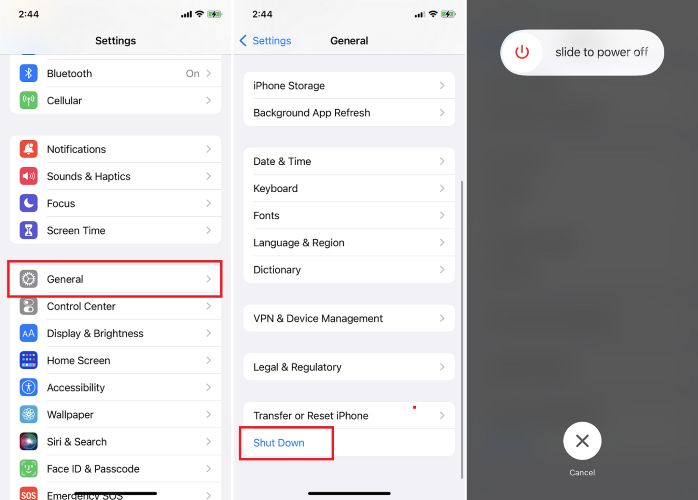
To turn off any iPhonewithout buttons:
Trick: After shutting down, drain the battery and then connect the iPhone to a charger or a computer. The device will automatically power on.
- Open Settings.
- Move to General.
- Scroll all the way down and choose Shut Down. The power slider will appear.
- Drag the slider to the right for a normal shutdown.
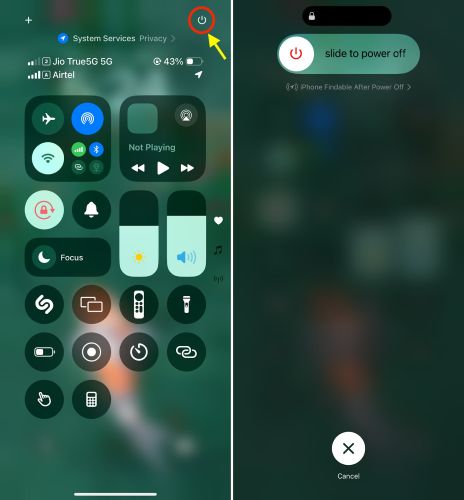
To shut down iPhone running iOS 18 and newer:
- Pull down Control Center and tap the power icon toggle at the top right.
- When the slider appears, drag it to power off your iPhone.
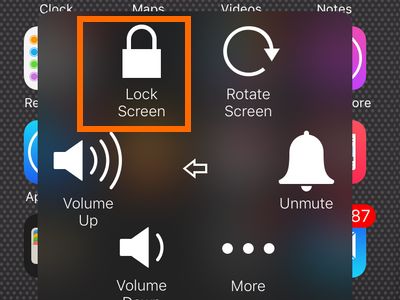
To lock iPhone screen using AssistiveTouch:
- If AssistiveTouch is already enabled, tap the floating circle.
- Select Device and then choose Lock Screen.
Why Is Power Button Suddenly Stop Working
There are several specific reasons why your iPhone’s power button might stop working:
- A tight or poorly cut protective case can block the button’s movement. Remove the case to check if it starts responding.
- Dust or sticky residue around the switch can prevent it from registering a press.
- iOS software glitches or corrupt updates — firmware controlling the button switch can get corrupted.
- Physical button damage due to a drop or impact, which can break the internal switch or flex cable.
How to Fix iPhone Power Button Not Working
The right fix depends on why your iPhone’s power button stopped responding. Whether it’s jammed under a case, affected by dust, or frozen due to a software glitch, you can handle it all on your own. None of these fixes will harm your device, so try them one by one.
Fix 1. Remove the Phone Case
Many times, the case itself is the culprit. A rigid edge or misaligned button cover can block the switch and stop it from pressing. Take off any case or bumper and press the Side button directly with your finger.
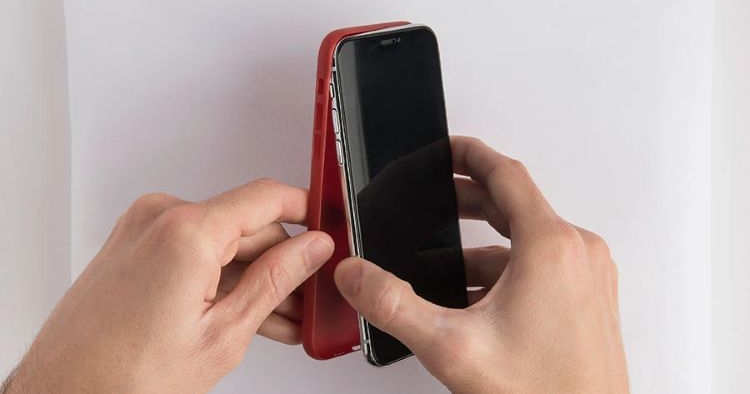
If the power button works again, the problem was just a physical obstruction. When buying a replacement, go for properly cut designs like OtterBox Defender or Spigen Armor, as both give solid protection without covering button edges.
Fix 2. Clean the Power Button
It’s common for dust to collect between the metal switch and the frame. And this will prevent proper contact. Apple recommends cleaning the button gently using a soft and lint-free cloth. Just make sure not to use liquids or sharp objects.
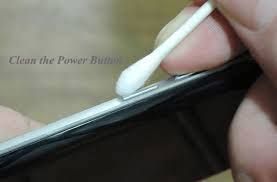
A quick wipe around the edges usually restores the side button responsiveness.
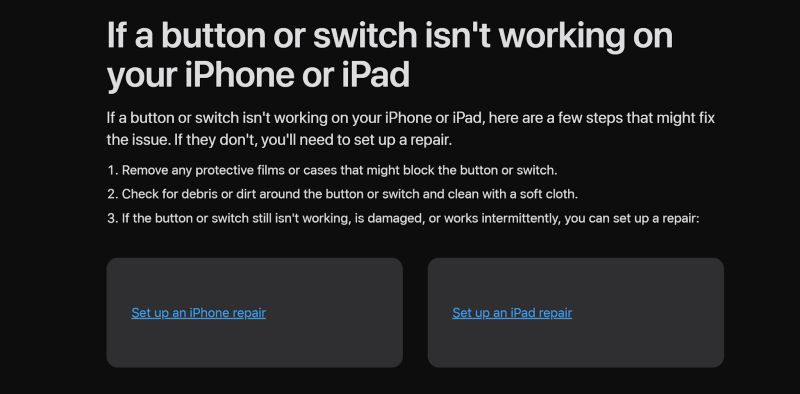
Fix 3. Restart iPhone
Rebooting is a simple fix that is often overlooked, but it can effectively remove iOS glitches that cause the Power button to stop working. Here’s how to restart your iPhone without using the Power button.
- Head to Settings>Accessibility.
- Open Touch.
- Select AssistiveTouch and turn it on.
- Now a small floating circle will appear on your screen. You can tap it and choose Device > More > Restart.
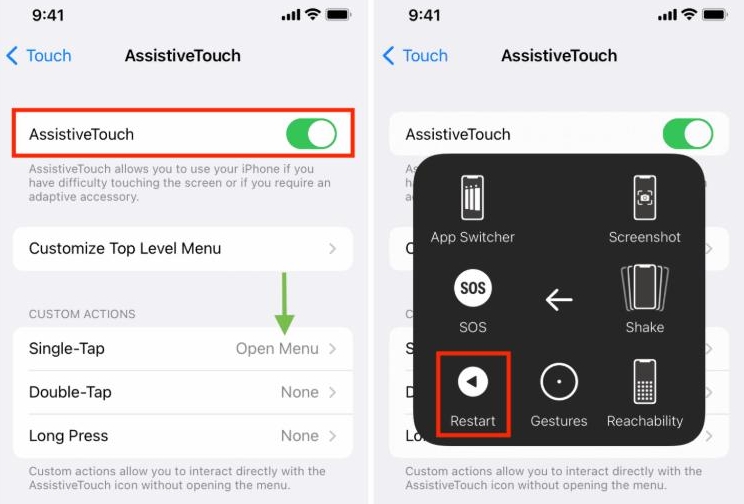
Your iPhone will reboot automatically. If the power button remains completely unresponsive, move ahead to the software-based solutions that can help restore functionality without needing physical presses.
Fix 4. Detect and Recover iOS with Tool
Many times, the Power button fails because of a software-layer fault. That’s where Passvers iOS System Recovery steps in. It scans your iPhone’s system components, finds what’s stopping the button from responding, and repairs it with corresponding modes.
Passvers includes three modes: Free Quick Fix, Standard Mode, and Advanced Mode. In most cases, the Free Quick Fix alone restores button function in two or three minutes, and you don’t need to press any button during the process.
Most users report that the Free Quick Fix effectively resolves the unresponsive button problem, with no risk of data loss.
Key Features
- Work on both Windows and Mac to repair iOS issues conveniently.
- Capable of resolving 50+ iOS system issues, including screen glitches, device not turning on, the side button not working and more.
- Provide dedicated tools, including iPhone unlocking, iOS downgrade and iPhone unjailbreaking.
Fix 5. Update iOS
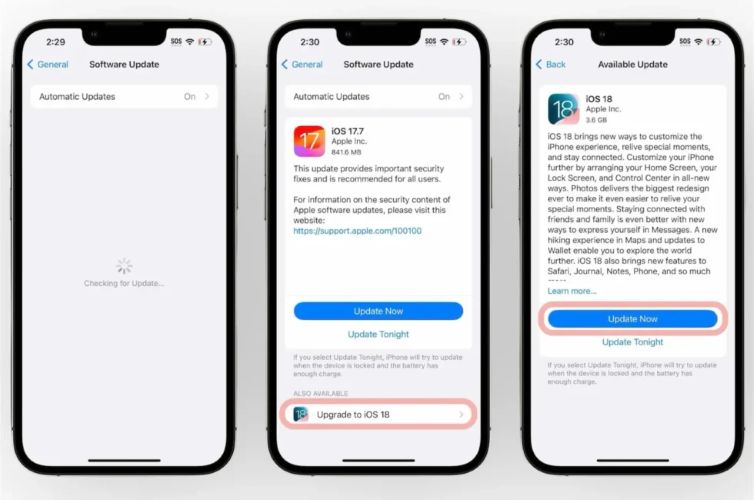
If the issue started right after an iOS update, the same process can be used to fix it. Use this to repair software layer problems that prevent the Power (Side) button from functioning properly.
For instance, users on iOS 18.1 beta and iOS 17.6.1 (especially on iPhone mini models) have faced this issue. Updating to the next stable version fixed it for many users while others used Passvers iOS System Recovery to achieve the same result.
Here’s what to do:
- Wake your iPhone and open Settings.
- Move to General> Software Update > Check for Updates.
- If an update is available, choose Update Now.
The device will reboot automatically after updating. Once restarted, enter your passcode and the Power button should begin functioning normally again.
Fix 6. Restore iPhone
When updating doesn’t help, performing a complete reset can clear deeper system-level glitches that affect button response. This erases everything and resets the iPhone to its default condition.
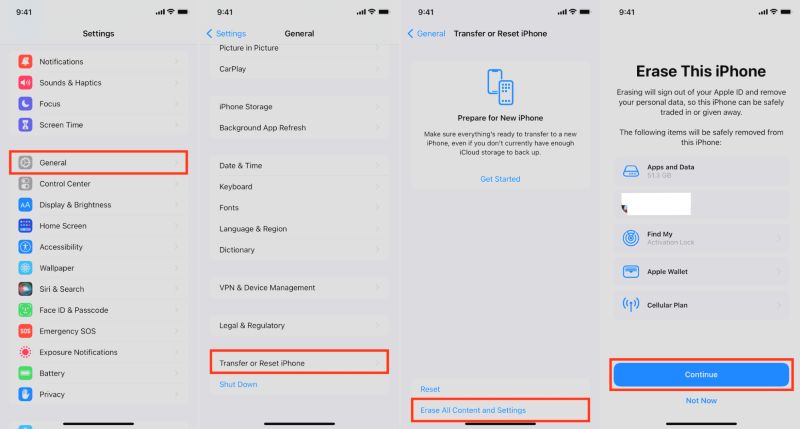
Steps to restore iPhone:
- Go to Settings and tap General.
- Scroll down and select Transfer or Reset iPhone.
- Choose Reset > Erase All Content and Settings.
This will delete all your data, along with removing persistent bugs. You can back up your iPhone beforehand to avoid losing important content.
Fix 7. Repair iPhone Hardware
If every software fix fails, it very well means that the problem lies in hardware. For instance, it’s common for the Power button to stop responding due to physical damage. Sometimes, even issues with the logic board can make it unresponsive. In such cases, it’s best to book a Genius Bar appointment.
iPhone Power Button Repair Cost
The cost depends on your warranty or AppleCare+ plan:
| Scenario | Approximate Cost | Notes |
|---|---|---|
| With AppleCare+ (accidental/incident) | US$99 per incident | Includes button repair. |
| Without AppleCare+ (out-of-warranty) | Usually US$200–US$500+, or full device replacement | Actual cost depends on the model. |
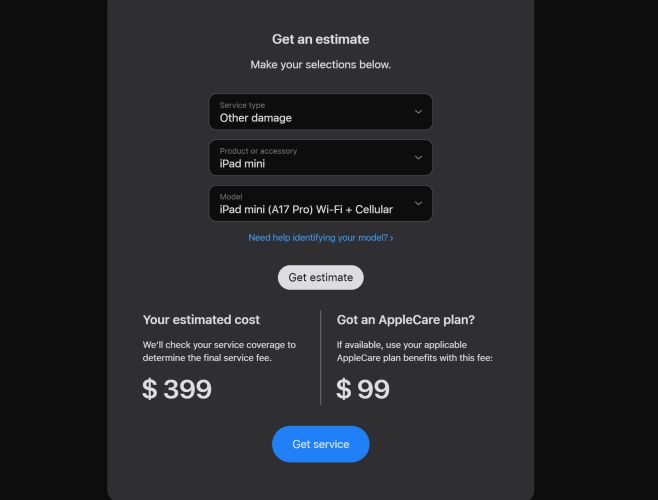
You can get an exact estimate by visiting Apple’s Repair and Service page and selecting your model and issue type. For example, choosing iPad mini A17 Pro Wi-Fi (17 model) lists repair costs as $399 without AppleCare+ and $199.99 with it.
Final Words
So that’s everything on fixing the iPhone Power button not working issue and what it may cost if it turns out to be hardware-related.
Passvers iOS System Recovery is the ultimate fix for software glitches that usually disable the lock or side button. Its Free Quick Fix mode is completely free, causes no data loss, and repairs the problem within just a few minutes.