
Regain Access to Any
iPhone & iPad
Instantly
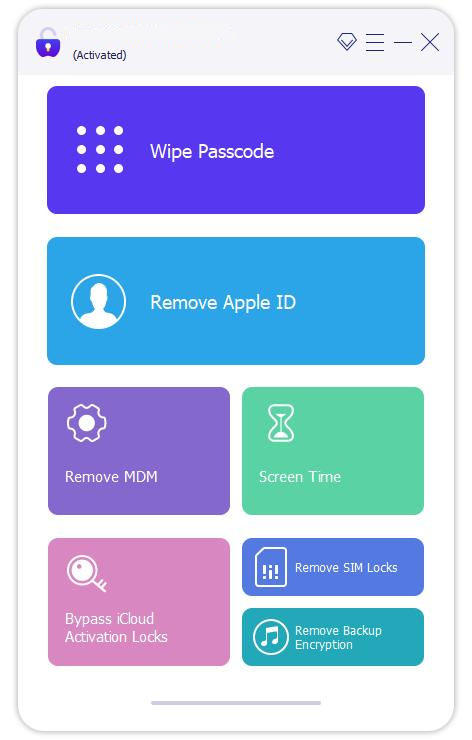
- Recover Screen Access - Passcode, Face ID, Touch ID, or custom codes, all in a click.
- Restore Apple ID Access - Regain full account control, no password needed.
- Manage MDM Profiles - Adjust supervision settings safely.
- Support More Situations - SIM errors, Activation Lock help, iTunes backup, Screen Time, and more.
- Fast & Easy - Complete in 3 simple steps, no tech skills needed.


* 100% Secure and Risk-Free


Designed for Legitimate Device Access Recovery

Accessing personally owned iPhones

Devices locked due to forgotten passcodes

Second-hand devices with incomplete setup (where ownership can be verified)

Enterprise or IT-managed devices with authorization
The Complete iOS Device Recovery Solution

Recover Screen Access
Regain access to your iOS device screen safely by resolving forgotten passcodes and lock issues.

Restore Apple ID Access
Remove the linked Apple ID and sign in with a new one to regain full access to all Apple services.

Clear iCloud Activation
Clear Activation requirement without Apple ID to regain access to your iPhone/iPad.

MDM Access Assistance
Helps resolve certain MDM-associated access limitations
Regain Screen Access
Support for restoring access to iOS devices with screen locks enabled, including passcodes and biometric authentication methods, under supported conditions.
- 4-digit / 6-digit codes
- Custom numeric & alphanumeric codes
- Face ID & Touch ID
Apple ID-Related Access Support
Support for securely restoring access to iOS device features restricted by Apple ID, under supported conditions.
- Sign in with your Apple ID and enjoy all Apple services.
- Fully access App Store, Apple Music, Podcasts, iCloud, and more.
- Stay secure—no tracking, restriction, or remote erase by others.
Activation-Locked Device Handling Support
Address activation-related access requirements on supported iPhone and iPad models under compatible system conditions.
- Works on second-hand devices
- No Apple ID or password required
- Complete within 10 minutes

MDM Management Support
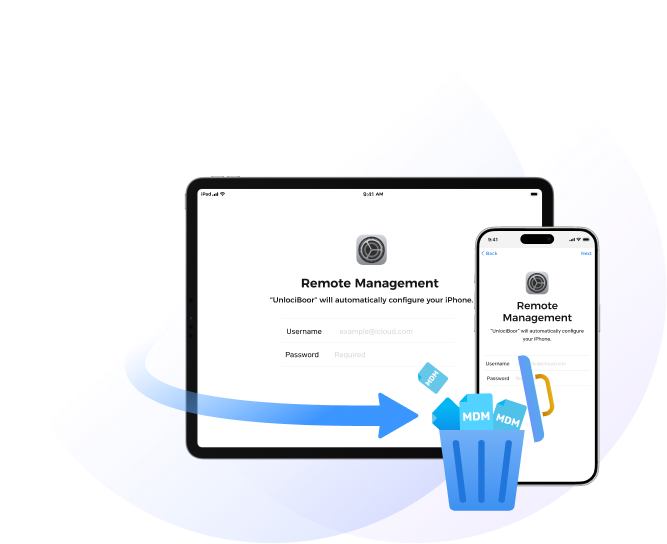
Provides supported options for addressing MDM-related restrictions on compatible iPhone and iPad devices.
- Remove remote MDM profiles
- Clear local MDM restrictions
- No jailbreak required

Remove SIM Restrictions
Clear SIM restrictions and switch freely to any carrier worldwide.

Clear Screen Time Passcode
Remove Screen Time passcode without data loss.

Decrypt iTunes Backup
Remove/Recover iTunes backup password safely - your backup files stay 100% intact.
Recover Device Access in 3 Simple Steps
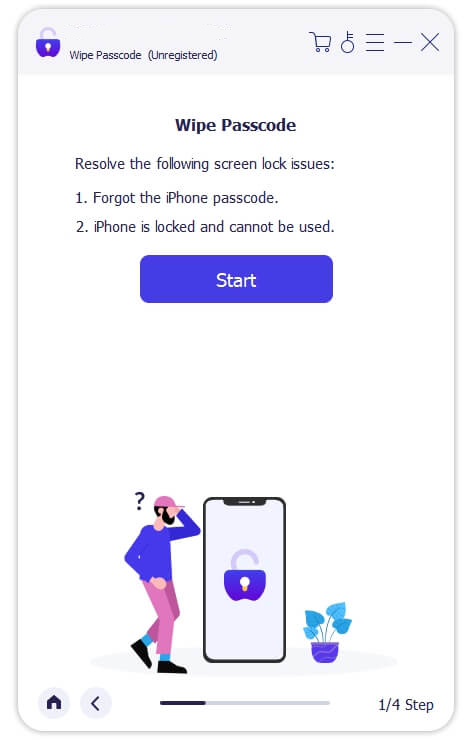
Step 1: Select Recovery Mode
Launch the app and select the access issue you want to resolve: Apple ID, Screen Passcode, iCloud Activation, MDM, and more.
Step 2: Start Recovery
Connect your iPhone or iPad via USB, and click Start Now to begin the recovery process.
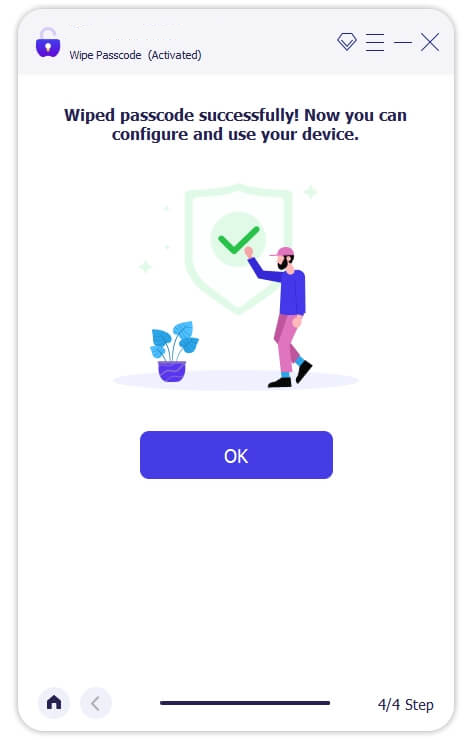
Step 3: Regain Access
Follow the simple on-screen guide, and your device will be accessible within minutes.
Security & Data Protection First
Your privacy and security are our top priorities


Tech Specification
 iPhone 4 and above (iPhone 17 included)
 All models of iPad Pro, iPad Air, iPad
mini, and iPad
All models of iPad Pro, iPad Air, iPad
mini, and iPad iPod Touch 1-7
 iOS 5.x and firmware versions
-
 Windows
Windows 11/10/8/8.1/7 -
 Mac Mac OS X 10.7 and above
Recommended by Media and Users

"I inherited my grandmother's iPad after she passed, but couldn't access her iCloud account to set it up for my daughter. The Datile support team guided me through the account recovery options and helped me understand Apple's official process. After providing the necessary documentation, I was able to configure the device properly."

Amanda Peterson
Elementary School Teacher

"After updating my iPhone, I couldn't remember the screen time passcode I'd set months ago. Datile's software helped me reset it without losing my settings. The process was straightforward, and their customer support answered all my questions promptly. Glad I found a legitimate solution."
Michelle Wong
Marketing Coordinator

"Our small business manages several company iPhones for field employees. Datile helped us reset a device when an employee left without properly removing their Apple ID. The software worked as described, and we were able to reassign the device to a new team member without purchasing new hardware."
Thomas Richardson
Small Business Owner
Hot Tips & Tricks
 Access Recovery
Feb 11, 2026
Access Recovery
Feb 11, 2026
The Evolution of Data Recovery: From Floppy Disks to Cloud-Integrated AI
Read More → Access Recovery
Feb 11, 2026
Access Recovery
Feb 11, 2026
The Role of Metadata in Device Partition Recovery: A 27-Year Perspective
Read More → Access Recovery
Feb 11, 2026
Access Recovery
Feb 11, 2026
Understanding APFS & NTFS File System Constraints in Data Access
Read More →
Datile PassAccess (iOS)
Frequently Asked Questions
Datile PassAccess is a professional recovery solution designed for legitimate device owners who have lost access to their iPhone or iPad. It is ideal for situations where you have forgotten your screen passcode, encountered a "Device Unavailable" or "Security Lockout" screen, or need to regain access after multiple failed login attempts.
Safety is our core priority. Datile PassAccess utilizes proprietary "Safe-Sync" protocols to communicate with your device's firmware. It performs actions through standard recovery modes, ensuring that your iPhone's hardware components and internal circuits remain completely unaffected throughout the access recovery process.
For users who have forgotten their Apple ID credentials, Datile PassAccess provides a streamlined path to reset the association on the local device. By utilizing sector-level scanning, it assists in resolving activation hurdles, allowing users to restore full functionality of their iOS features.
Yes. Our R&D team continuously updates our algorithms to stay ahead of technology shifts. Datile PassAccess fully supports all recent iterations, including iOS 26, and is compatible with the entire iPhone range, from legacy models to the latest iPhone 17 and 18 series.
The outcome depends on the specific security state of your device. For certain lockout scenarios, a system restoration may be required to reset the security parameters. We always recommend using Datile PassAccess in conjunction with the existing backups. Our software will clearly notify you of the expected outcomes before you initiate any recovery steps.
Reliability comes from our 27-year technical heritage. Unlike generic "cracking" tools found online, Datile PassAccess is built on nearly three decades of file system expertise. We provide a secure, ad-free, and malware-free environment with dedicated technical support—ensuring a professional success rate that free, unverified software simply can't match.
Datile PassAccess (iOS)
Regain iPhone Access, Restore Apple ID & Solve iCloud Entry Issues

