
Updated on 2026-02-11
views
5min read
Losing WhatsApp Business chats on an iPhone is more than an inconvenience. For many small businesses, these conversations contain customer requests, pricing discussions, order confirmations, and delivery details that directly affect daily operations.
The real risk often comes after the deletion. Most recovery attempts fail not because the data is unrecoverable, but because users unknowingly overwrite their current chats while trying to restore older ones.
This guide explains how WhatsApp Business data works on iPhone, why official recovery methods often fall short, and how to recover deleted chats without overwriting your existing conversations, whenever possible.
Important clarification:
In this guide, “recovery” may refer to either restoring chats back into WhatsApp Business or extracting deleted chats for viewing and record-keeping. These are technically different processes with very different risks.
Before You Try Anything: Why WhatsApp Business Recovery Often Fails on iPhone
Many iPhone users assume that restoring an iCloud or Finder/iTunes backup will automatically bring back deleted WhatsApp Business chats. In practice, recovery failures are common—especially for business accounts.
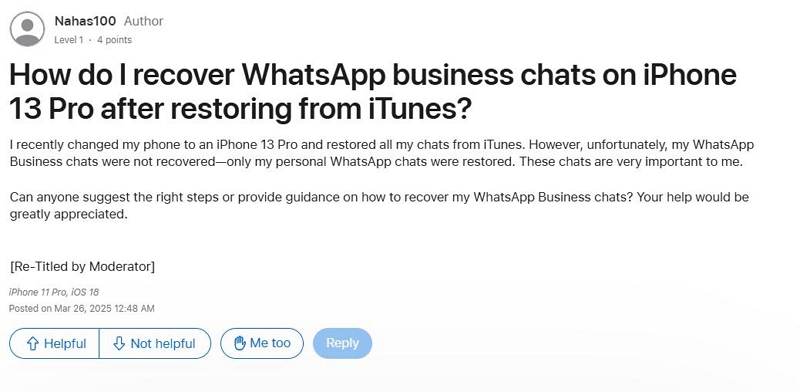
These failures are rarely caused by user mistakes. They usually stem from how iOS backups are structured, how WhatsApp Business is handled as a separate app, and how device configurations affect data restoration.
Understanding these limits before attempting recovery is critical. Repeating restore attempts does not improve success rates and often increases the risk of permanent data loss.
How iOS Backups Handle WhatsApp Business Data
Structural Limits of iCloud and Finder/iTunes Backups
Both iCloud and Finder/iTunes backups restore data at the app container level, not at the individual chat level. For WhatsApp Business, this creates several unavoidable limitations:
- Backups are all-or-nothing at the app level
- You cannot selectively restore deleted chats
- Restoring a backup overwrites all current WhatsApp Business data
- Backup timestamps must be from before the deletion
If the backup was created after the chats were deleted—or if WhatsApp Business was not properly included—those messages are excluded from the restore process permanently.
This behavior is consistent with Apple’s documented backup architecture, even though it is rarely explained clearly to end users.
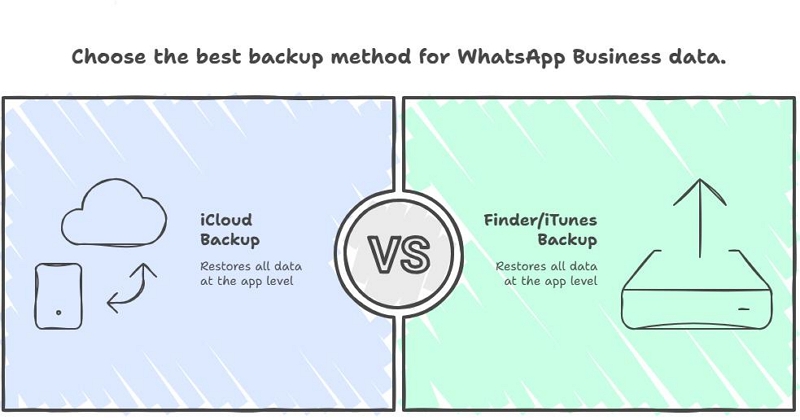
Why Finder/iTunes Sometimes Restore Personal WhatsApp but Not WhatsApp Business
A common scenario reported by users is:“Finder restored my personal WhatsApp chats, but WhatsApp Business is empty.”
This happens because WhatsApp and WhatsApp Business are treated as two separate apps in iOS, each with its own bundle identifier.
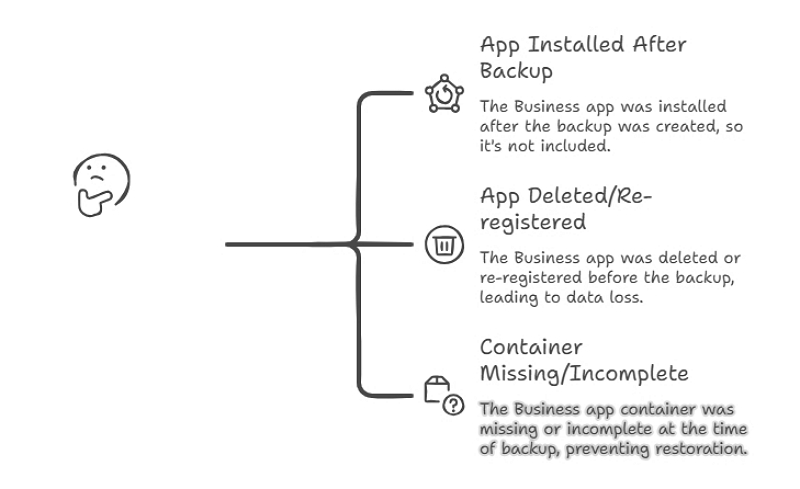
Finder/iTunes will not restore WhatsApp Business data if:
- WhatsApp Business was installed after the backup was created
- The app was deleted or re-registered before backup
- The Business app container was missing or incomplete at backup time
From iOS’s perspective, this is not a partial failure—it is a valid restore based on what existed at the time of backup.
Business Profiles, Managed Devices, and Enterprise Configuration Effects
Device configuration also matters.
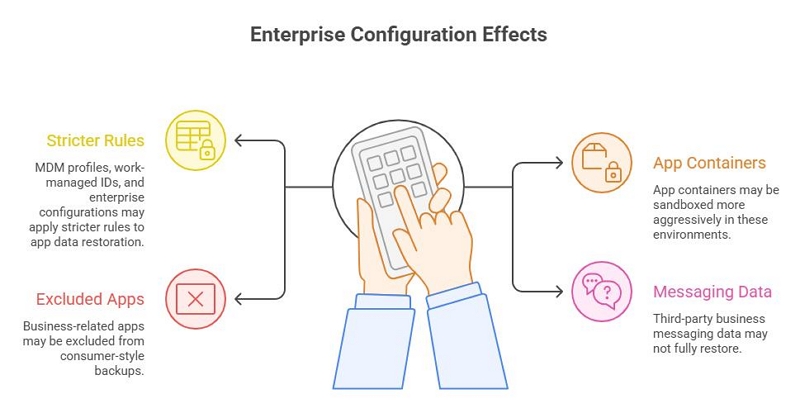
Based on Apple developer documentation and forum discussions, iPhones with:
- Mobile Device Management (MDM) profiles
- Work-managed Apple IDs
- Enterprise or supervised configurations
may apply stricter rules to app data restoration.
In these environments:
- App containers may be sandboxed more aggressively
- Business-related apps may be excluded from consumer-style backups
- Third-party business messaging data may not fully restore
This is especially relevant if you:
- Use WhatsApp Business on a work-managed iPhone
- Previously enrolled the device in an enterprise or school profile
- Migrated data between managed and unmanaged devices
In such cases, a restore may technically succeed while still failing to rehydrate WhatsApp Business chats.
Official Recovery Methods (And When They Actually Make Sense)
Option 1: Restore WhatsApp Business from iCloud Backup
If iCloud backups were enabled before the deletion, this is the only officially supported WhatsApp recovery method.
Official Steps (iPhone)
1. Open Settings on your iPhone
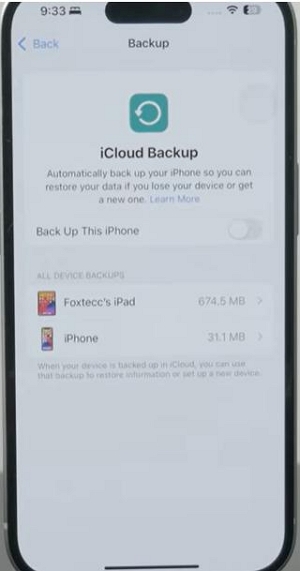
2. Tap [your name] > iCloud > iCloud Backup. Confirm that WhatsApp Business was backed up before the deletion
3. Delete WhatsApp Business from your iPhone
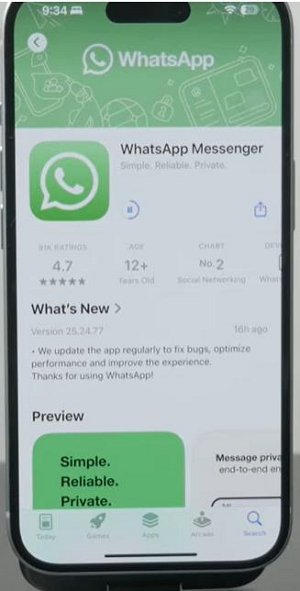
4. Reinstall it from the App Store. Verify your business phone number
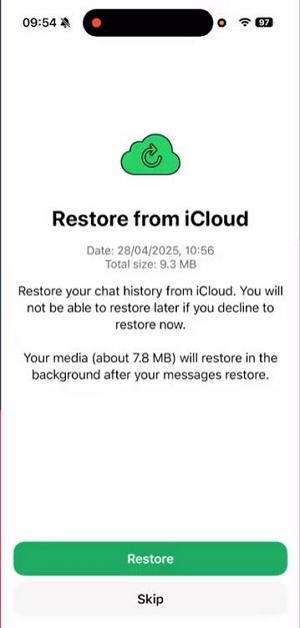
5. When prompted, tap Restore Chat History
Important Limitations
| Limitation | Impact |
|---|---|
| Full database restore | Cannot select individual chats |
| Overwrites current data | New conversations will be lost |
| Backup timing dependency | Chats deleted before backup are unrecoverable |
Apple’s backup system does not support partial app data restoration. This limitation applies to all third-party apps, not just WhatsApp Business. In practice, this means you cannot selectively restore individual chats or messages without overwriting existing app data. For business users, this is especially important to consider before attempting any iCloud or iTunes restore, as new conversations could be lost in the process. Always check backup timestamps and weigh the importance of deleted chats against current data before proceeding.
This method only makes sense if the deleted chats are more important than your current conversations.
Option 2: Restore from Finder / iTunes Backup (High-Risk)
A computer backup can also restore WhatsApp Business—but only as part of a full device rollback.
Supported environments
- macOS Catalina and later → Finder
- Windows / older macOS → iTunes
Step-by-Step Instructions
Step 1: Connect your iPhone to a computer and unlock it
Step 2: Open Finder (macOS Catalina+) or iTunes (Windows / older macOS)
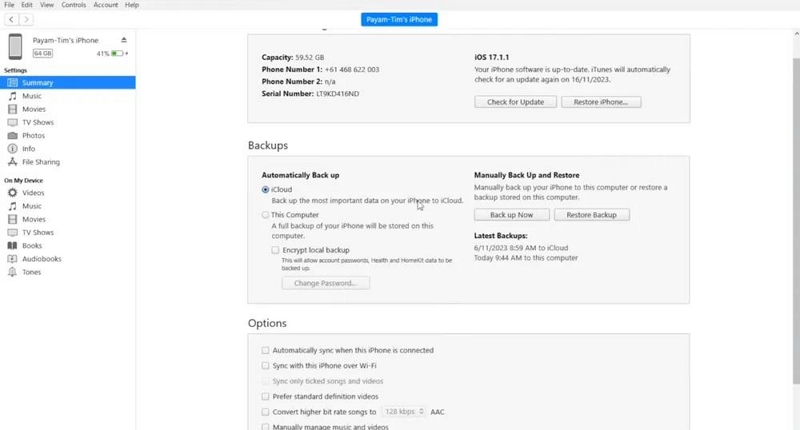
Step 3: Select your iPhone and choose Restore Backup
Step 4: Pick a backup created before the chats were deleted
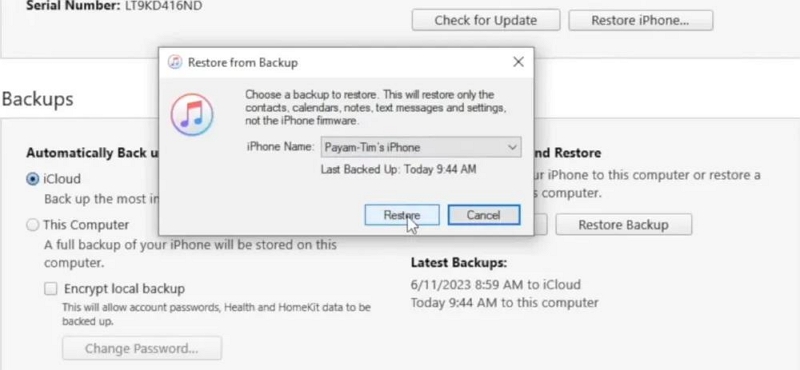
Step 5: Enter the encryption password if required
Step 6: Wait for the restore process to complete (typically 30–90 minutes)
| Risk | Explanation |
|---|---|
| Full device overwrite | All current iPhone data is replaced |
| No preview | You cannot verify chat existence beforehand |
| Low Business data success rate | App container may be missing |
Tip:When this method makes sense? Only if the deleted WhatsApp Business chats are more valuable than everything currently on the device.
The Safe Principle: Recover Without Overwriting Current Data
For active WhatsApp Business users, restoration should be a last resort, not the first step. The safer approach is read-only recovery.
What “Read-Only Recovery” Means
| Traditional Restore | Read-Only Recovery |
|---|---|
| Writes data back to iPhone | Extracts data externally |
| Overwrites current chats | Preserves current chats |
| No preview | Preview before export |
| High overwrite risk | Lower risk (not zero) |
Expert advice: If your business relies on ongoing conversations, avoid any method that writes old data back to the device.
Can WhatsApp Business Chats Be Recovered Without a Backup?
Sometimes—but there are no guarantees.
Recovery depends on:
- How recently the chats were deleted
- Whether new data has overwritten them
- Whether partial cloud or system records still exist
Text messages are generally easier to recover than media files. Once iOS reuses the storage blocks, recovery is no longer technically possible—regardless of software.
What to Do Immediately After Deleting Chats
Before attempting any recovery:
- Stop using WhatsApp Business if possible
- Do not reinstall the app repeatedly
- Check backup timestamps carefully
- Avoid trial-and-error restores
Time matters. Continued use increases the chance of permanent overwrite.
Third-Party Tools: What They Can and Cannot Do
Third-party tools are not officially supported by Apple or WhatsApp. Results vary based on device state and deletion timing.
| What They Can Do | What They Cannot Do |
|---|---|
| Scan existing cloud or system records | Bypass iOS overwrite rules |
| Preview recoverable WhatsApp data | Recover already overwritten data |
| Export chats for reference | Safely restore chats into WhatsApp |
They should be used for data extraction, not in-app restoration.
Example: Read-Only WhatsApp Business Data Extraction
Some safer data recovery tools, such as Datile iOS Recovery, allow users to scan and export WhatsApp Business chats and attachments without writing data back to the device.
Typical steps include:
Step 1: Install Datile iOS Recovery on your computer and connect your device to the computer via USB.
Step 2: Enable USB debugging to allow the device to be detected.
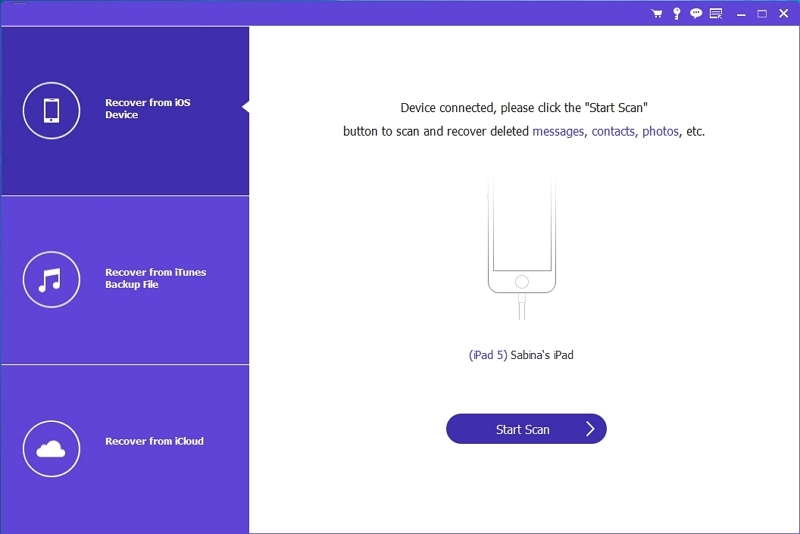
Step 3: Select WhatsApp and WhatsApp Attachments as the target data types. Grant temporary permissions on the device when prompted.
Step 4: Run a deep scan to locate all recoverable WhatsApp data.
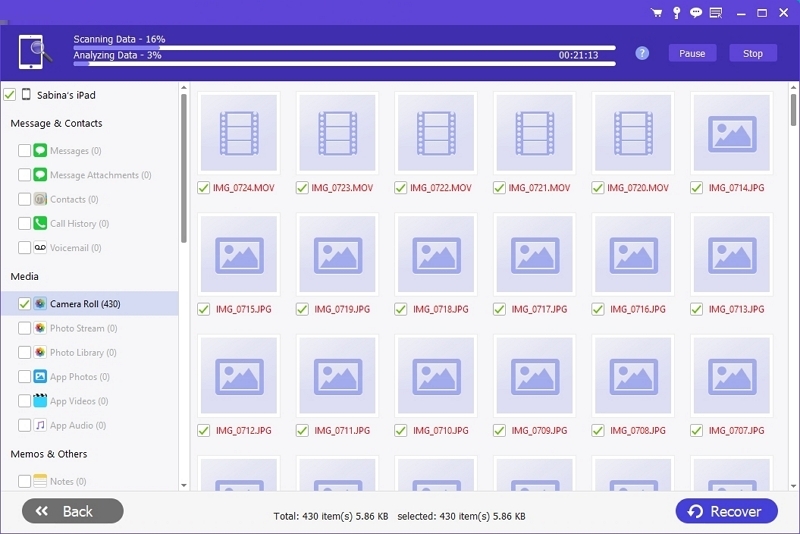
Step 5: Preview recoverable data and export only the files you need.
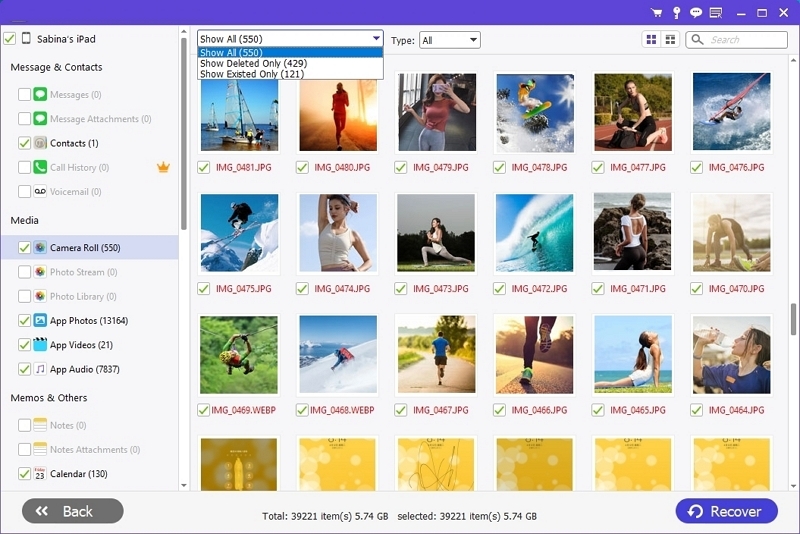
At no point should recovered data be written back to WhatsApp unless you accept overwrite risks.
Recovery Options Compared
| Method | Overwrites Current Data | Requires Backup | Best For |
|---|---|---|---|
| iCloud Restore | Yes | Yes | Full rollback |
| iTunes Restore | Yes | Yes | Device-level recovery |
| Read-Only Scan | No | Optional | Active business users |
How to Prevent WhatsApp Business Data Loss in the Future
If WhatsApp Business messages matter to your work:
- Enable daily iCloud backups
- Export critical chats regularly
- Avoid relying on a single backup point
- Review backup timestamps before restoring
Expert recommendation: Export important business conversations monthly instead of relying solely on automated backups.
Common Questions and Misunderstandings
Q. Will this delete my current WhatsApp Business chats?
No, as long as the recovery process does not restore a backup to your phone.
Q. Can chats be recovered without any backup?
Sometimes. Partial cloud data and cached records may still exist, but success depends on how recently the chats were deleted.
Q. Are media files recoverable too?
Text messages have the highest recovery rate. Media recovery depends on whether the files were backed up or overwritten.
Final Thoughts
Recovering deleted WhatsApp Business chats on iPhone is possible—but doing it safely requires understanding the risks. Official backups work, but they overwrite everything. Read-only recovery methods offer a safer alternative for users who cannot afford to lose current conversations.
If there is one takeaway, it is this: Pause before restoring. Once data is overwritten, there is no undo.