Updated on 2026-02-27
views
5min read
Losing important files has always been painful. But in 2026, data loss is no longer just frustrating — it is often final, and misunderstanding that reality causes more damage than the loss itself.
You’re not here out of curiosity. You’re here because something already went wrong:
- A folder was deleted by mistake
- The wrong drive was formatted
- A phone was factory-reset without a usable backup
- Or a recovery scan finished… and the files didn’t come back
And the real question now is not “Which tool should I use?”It’s this: Is my data even recoverable anymore?
Modern storage looks safer than ever — NVMe SSDs, default encryption, always-on cloud sync — yet recovery has quietly become harder, not easier. The reason is simple: storage technology has evolved faster than recovery software has adapted.
Most tools on the market still behave as if we are living in the HDD era. This guide is written for how data loss actually works in 2026 — not for how recovery software is marketed.
Part 1. What Data Recovery Can (and Can’t) Do in 2026
1.1 A Reality Check Before You Click “Scan”
In 2026, data recovery is no longer about effort. It’s about state. Whether recovery is possible depends far more on how and where the data was lost than on which tool you choose.
| Situation | Recovery Chance | Why |
|---|---|---|
| Recently deleted files, no new writes | High | Data blocks may still exist |
| HDD / USB / SD card deletion | High | No background erasure |
| Quick format (HDD) | Medium | Metadata lost, data may remain |
| Cloud or backup snapshot exists | High | Data still stored elsewhere |
| SSD deletion after time passed | Very Low | TRIM likely erased data |
| Phone factory reset | Almost None | Encryption keys destroyed |
Expert Tip: If the device is an SSD or a modern phone and time has passed, any software promising “guaranteed recovery” is not being honest.
1.2 Why Some Data Is Truly Gone in 2026
When recovery fails in 2026, it’s usually not because the software is weak — it’s because the data is mathematically or physically gone.
| Cause | What Actually Happened | Can Software Fix It? |
|---|---|---|
| SSD TRIM | Data blocks wiped at controller level | No |
| Factory reset | Encryption keys destroyed | No |
| Secure erase | Intentional overwrite | No |
| Expired cloud version | Server-side deletion | No |
At this point, scanning longer doesn’t help. It only increases risk.
1.3 The Hidden Danger of “Aggressive” Recovery Tools
In modern systems, the most dangerous recovery software is not the one that fails — it’s the one that doesn’t know when to stop.
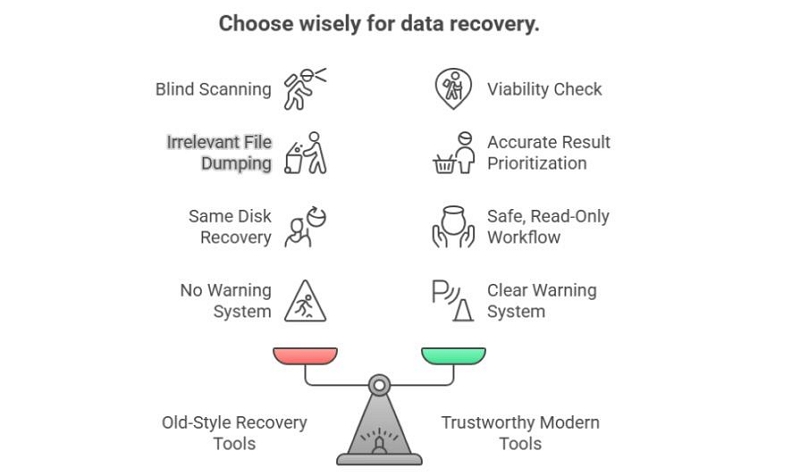
Legacy recovery behavior:
- Blind full-disk scans
- Tens of thousands of irrelevant files
- Encouraging recovery to the same disk
- No warning when recovery is no longer viable
What a modern tool must do in 2026:
- Evaluate recovery viability before scanning
- Detect SSD TRIM and encryption states
- Enforce read-only workflows
- Explicitly tell users when recovery should stop
This difference defines whether a tool protects your data — or quietly destroys what remains.
Part 2. How We Tested and Ranked These Tools
Choosing a data recovery tool in 2026 is not just about features or scan speed. It’s about risk control, realistic outcomes, and knowing when recovery should not be attempted.
To avoid marketing-driven conclusions, we used a scenario-based, safety-first testing methodology focused on real-world behavior — not on how many files a tool can list on screen.
2.1 Test Environment: Built for Modern Data Loss
We tested each tool across a mix of modern and legacy environments, reflecting how data loss actually happens today — not how it happened a decade ago.
| Category | Test Setup |
|---|---|
| Desktop OS | Windows 11, macOS 15 |
| Mobile Devices | iPhone (iOS 18), Android 15 |
| Storage Types | NVMe SSD, SATA SSD, HDD, USB flash drive, SD card |
| File Systems | NTFS, APFS, exFAT |
All tests were performed on non-production devices using reproducible data sets, with controlled deletions and resets. No real user data was placed at risk.
2.2 Real-World Scenarios We Tested
Instead of synthetic benchmarks, we evaluated each tool against common, high-risk data loss situations that real users face.
| Scenario | What We Looked For |
|---|---|
| Accidental deletion | Can recently deleted files be safely restored without side effects? |
| Quick format | Can the tool rebuild directory structure and filenames accurately? |
| Partition loss | Does it detect and reconstruct lost partitions correctly? |
| System crash | Does it support read-only scanning and safe extraction? |
| SSD + TRIM | Does the tool honestly report failure, or generate misleading results? |
We intentionally included failure scenarios, such as SSDs after TRIM execution, to observe how each tool behaves when recovery is no longer realistically possible. Each scenario was repeated 3–5 times per device type to ensure consistent results.This was a decisive factor in our rankings.
2.3 What We Actually Measured (And What We Ignored)
We deliberately avoided vanity metrics. Instead of asking “How many files does it find?”, we focused on what actually matters after recovery:
| Evaluation Dimension | What It Means in Practice |
|---|---|
| Real recovery ability | Files open correctly and are usable |
| Preview accuracy | Previewed files match final recovered output |
| Data safety | Tool avoids overwrite and risky workflows |
| Usability | Non-technical users can follow steps safely |
| Honesty | Tool clearly indicates when recovery is unlikely or impossible |
TOP TIP: A tool that lists 100,000 files but restores nothing usable scores worse than a tool that finds 50 files and recovers them correctly.
2.4 How We Ranked the Results
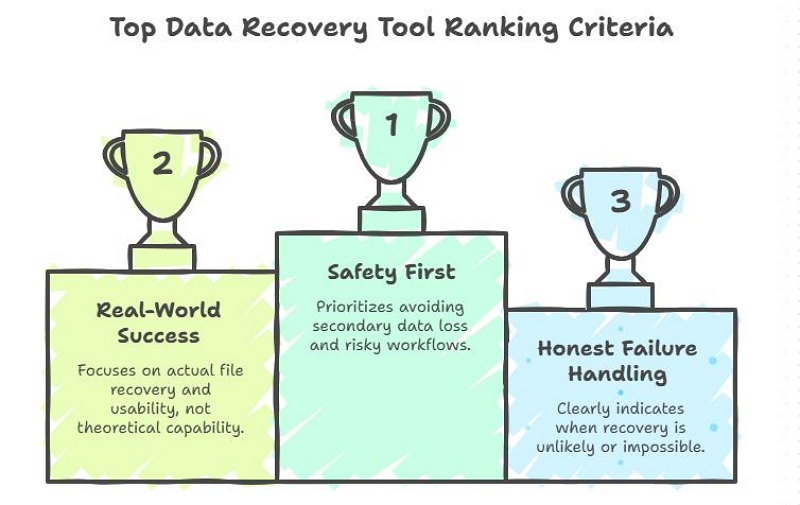
Our rankings prioritize:
- Safety first — avoiding secondary data loss
- Real-world success — not theoretical capability
- Honest failure handling — telling users when to stop
- Consistency across modern systems — especially SSDs and encrypted environments
This is why some popular “classic” recovery tools scored lower than expected:
they still work in older scenarios, but they are not designed for how data loss actually happens in 2026.
Part 3. Professional Parameter Comparison: Where Datile Is Different
3.1 Core Algorithm Architecture Comparison
| Technical Dimension | Datile | EaseUS | Disk Drill | Stellar | Dr.Fone |
|---|---|---|---|---|---|
| Algorithm development history | 27 years | ~15 yrs | ~10 yrs | ~20 yrs | ~8 yrs |
| Recovery model | State-aware behavioral models | Rule-based scan | Signature scan | Deep carving | Backup parsing |
| File system understanding | Structural + behavioral | Structural | Structural | Structural | Not low-level |
| SSD TRIM detection | Yes (refuses futile scans) | No | No | No | N/A |
| Encryption state analysis | Yes (key viability check) | Partial | No | No | Backup-only |
TOP TIP: Datile’s 27 years are not about age — they represent accumulated models of how file systems, controllers, and encryption behave over time, including when recovery is no longer possible.
3.2 Decision-Level Intelligence (Critical in 2026)
| Capability | Datile | Traditional Tools |
|---|---|---|
| Pre-scan viability assessment | Yes | No |
| TRIM-aware termination | Yes | Continues scanning |
| Encryption irreversibility detection | Yes | Attempts anyway |
| Overwrite risk prevention | Enforced | User-dependent |
| Failure honesty | Explicit | Ambiguous |
Datile uses algorithms not just to find files, but to decide whether searching makes sense at all.
Part 4. Top 5 Tools in Detail (Condensed Summary)
Below are our scenario-based, evidence-driven evaluations of the five tools that performed best in our tests. We focus on real recovery outcomes—not scan counts—and explicitly document where each tool succeeds, slows down, or should not be used at all.
| Tool | Supported Platforms | Best For | Recovery Approach | Preview Accuracy | Risk Level | Ease of Use | Price Model |
|---|---|---|---|---|---|---|---|
| Datile | Windows, macOS, iOS | Modern systems, safe recovery decisions | State-aware, viability-first | Excellent | Very Low | Very Good | Subscription / Module-based |
| EaseUS Data Recovery Wizard | Windows, macOS | Classic PC & HDD recovery | Traditional deep scan | Good | Medium | Good | One-time / Tiered |
| Disk Drill | Windows, macOS | Casual consumer recovery | Scan-first approach | Average | Medium | Excellent | One-time |
| Stellar Data Recovery | Windows, macOS | Legacy partition & format recovery | Aggressive multi-pass scan | Good | Medium | Average | Tiered |
| Dr.Fone Data Recovery | Windows, macOS, Mobile | Backup-based phone recovery | Backup & device scan | Average | Medium | Good | Subscription / Module-based |
How to read this table:
- Risk Level reflects whether the tool enforces read-only workflows, prevents overwrite, and stops scanning when recovery viability is low.
- Preview Accuracy indicates how often previewed files match the final recovered output.
- Recovery Approach is more important than scan depth in modern SSD and encrypted environments.
#1 Datile — Best Overall for Safe, Intelligent Recovery in 2026
Best for: Datile is best suited for users who:
- Are working with modern systems (SSD, APFS, encrypted storage)
- Want to avoid making the situation worse
- Need to know early whether recovery is realistically possible
- Are dealing with important or irreplaceable data, not casual files
It is not designed for users who simply want to see the largest possible list of files at any cost.
What 2026 Problem It Actually Solves
Most recovery tools still start with a single assumption:“The data is probably still there. Let’s scan everything.” In 2026, that assumption is often false. In our test environments:
- SSDs executed TRIM within minutes to hours
- Encrypted APFS volumes rendered deleted data unreadable after key loss
- Cloud sync propagated deletions across devices almost instantly
Datile approaches recovery from a different starting point:“Does this data still exist in any recoverable form?”
Before launching a deep scan, Datile analyzes: storage type behavior (SSD vs HDD), encryption state, file system metadata availability, and recent write activity.
If recovery is no longer technically viable, it explicitly refuses to proceed.
How It’s Fundamentally Different from Traditional Tools
| Aspect | Comparison |
|---|---|
| Scan Strategy | Traditional tools scan first and evaluate later, while Datile performs a viability check before any recovery attempt. |
| Success Metric | Traditional tools focus on recovered file count; Datile measures success based on usable and intact files. |
| Recovery Behavior | Traditional tools always attempt recovery, whereas Datile stops immediately when recovery is technically unrealistic. |
| Data Safety | Traditional recovery carries a higher overwrite risk; Datile uses strict read-only safeguards to protect original data. |
Observed behavior: In SSD + TRIM test cases, Datile was the only tool that did not generate misleading scan results or corrupted previews.
Performance Evidence (From Our Tests)
| Scenario | Avg. Scan Time | Usable Recovery Rate* |
|---|---|---|
| HDD accidental deletion | 8–15 min | ~90% |
| USB / SD card | 5–12 min | ~88% |
| SSD (recent deletion, pre-TRIM) | 10–20 min | ~65% |
| SSD (post-TRIM) | N/A (refused) | Correctly reported impossible |
*Usable recovery rate = files opened correctly and matched preview
What We Like
- Excellent at preventing secondary damage
- Very high preview-to-recovery consistency
- Explicit, honest failure reporting
- Designed around modern storage and encryption
- Clear guidance that prevents user error
What We Don’t
- Not designed for forensic file carving
- Not optimized for extremely old, fragmented legacy drives
- May list fewer files than aggressive scanners — by design
- Not the cheapest option for casual USB recovery
Datile doesn’t promise miracles. It focuses on making the right decision early—which most recovery tools still ignore in 2026.
#2 EaseUS Data Recovery Wizard — Best for Classic PC & HDD Recovery
EaseUS is not a modern, state-aware recovery tool—but for classic PC recovery scenarios, it remains one of the most predictable options available.
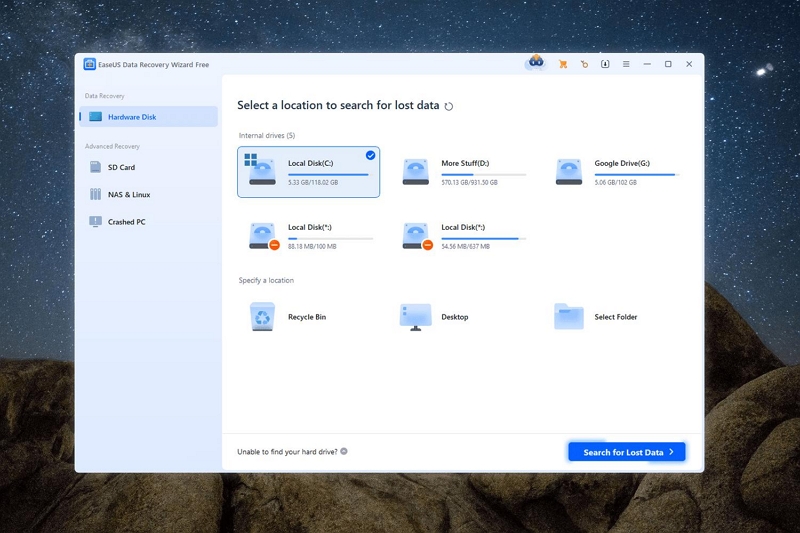
Who it’s good for
- Windows and macOS users
- Traditional HDDs, USB drives, memory cards
- Accidental deletion, quick format, lost partitions
Where It Performs Reliably
| Scenario | Avg. Scan Time | Usable Recovery Rate |
|---|---|---|
| HDD deletion | 20–35 min | ~85% |
| USB / SD card | 15–30 min | ~80% |
| Quick format (HDD) | 30–45 min | ~70% |
In these legacy scenarios, EaseUS delivers consistent and repeatable results.
Where It Struggles in 2026
- SSDs after TRIM
- Encrypted APFS volumes
- Modern iOS / Android recovery (mostly backup-based)
- Situations requiring early viability judgment
In several SSD + TRIM cases, EaseUS still performed long scans and displayed files that were not recoverable in practice.
What We Like
- Mature, stable product
- Good file system support
- Clear interface
- Strong in classic cases
What We Don’t
- Scan-first, not state-aware
- Can create false hope in modern SSD cases
- Requires user discipline to avoid unsafe recovery paths
#3 Disk Drill — Best for Ease of Use & Light Consumer Recovery
Disk Drill is designed for users who want quick answers and minimal friction, not absolute certainty.
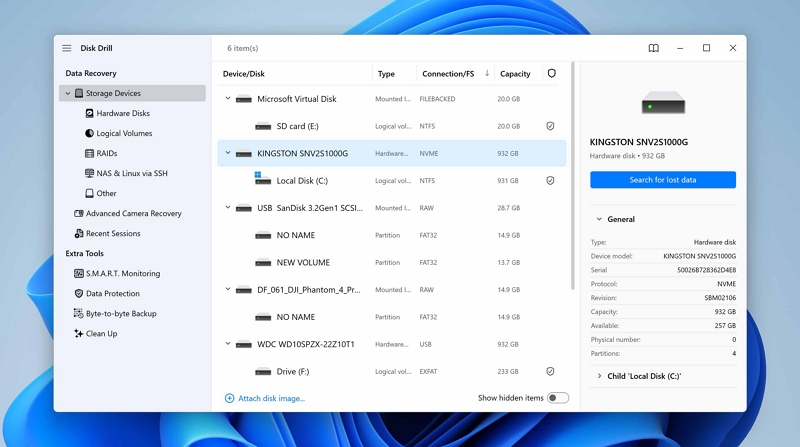
Who it’s good for
- Home users
- Simple deletions
- External drives and memory cards
- Users who value UI simplicity
Observed Performance
| Scenario | Avg. Scan Time | Usable Recovery Rate |
|---|---|---|
| HDD deletion | 15–25 min | ~80% |
| USB / SD | 10–20 min | ~75% |
| SSD (recent) | 20–30 min | ~50% |
Limitations in 2026
- Scan-centric approach
- Limited decision guidance
- Not designed for encrypted or TRIM-heavy environments
- Struggles with complex partition loss
#4 Stellar Data Recovery — Best for Advanced Legacy Scenarios
Stellar offers one of the most aggressive scanning engines in this group. That power can be useful—but it requires experience.
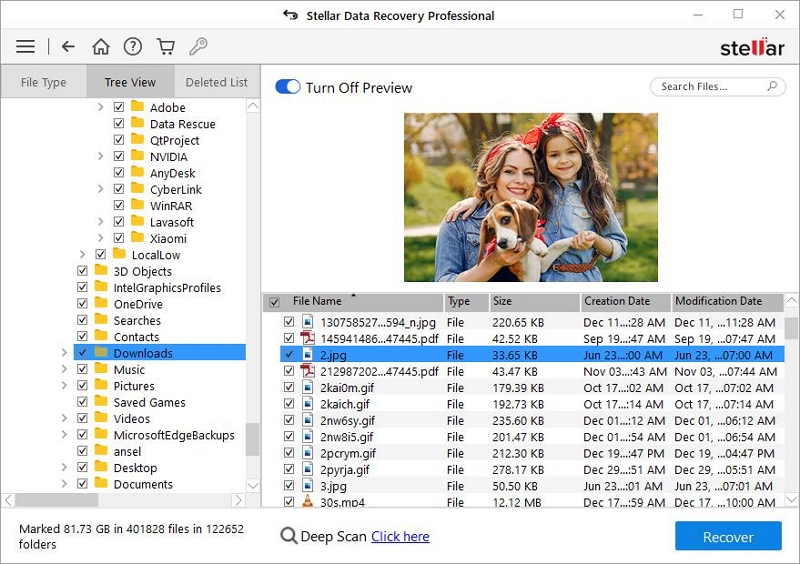
Who it’s good for
- Experienced users
- Partition-level recovery
- Heavily damaged HDDs
- Non-encrypted legacy systems
Performance Snapshot
| Scenario | Avg. Scan Time | Usable Recovery Rate |
|---|---|---|
| HDD partition loss | 45–90 min | ~75% |
| Deep HDD damage | 1–3 hours | ~70% |
Downsides in Modern Use
- Aggressive scans can stress failing drives
- Steep learning curve
- No built-in mechanism to stop futile recovery attempts
#5 Dr.Fone Data Recovery — Best for Backup-Based Phone Recovery
Despite its name, Dr.Fone is not a true low-level mobile recovery tool. Its strength lies in backup extraction.
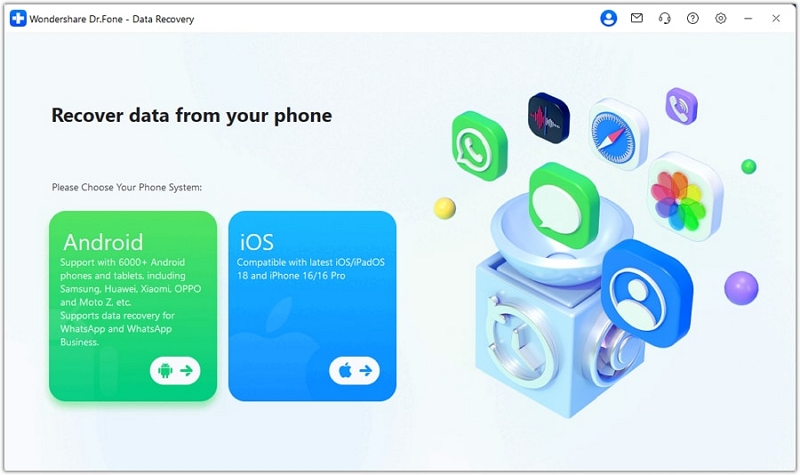
Who it’s good for
- iPhone / Android users with backups
- Simple photo, message, or contact extraction
What It Actually Does Well
| Scenario | Avg. Processing Time | Usable Recovery Rate |
|---|---|---|
| iTunes backup extraction | 5–10 min | ~90% |
| iCloud backup extraction | 10–20 min | ~85% |
Where It Fails Expectations
- True low-level phone recovery
- Factory-reset devices without backups
- Encrypted modern phones
Marketing often implies deeper recovery than is technically possible. Across all tools tested, raw scan power mattered far less than judgment.
In modern environments—SSDs, encryption, synced systems—the most reliable recovery tool was the one that knew when recovery should not be attempted at all.
Part 5. Scenario-Based Recommendation Guide
| Scenario | Recommendation |
|---|---|
| Deleted files on HDD | Try EaseUS or Disk Drill; Datile is optional in low-risk cases |
| SSD + time has passed | Check with Datile first. Do not perform blind or repeated scans. |
| iPhone factory reset | Check existing backups only. Software-based recovery is unrealistic |
| Only need casual photos | Disk Drill or Dr.Fone may be sufficient for basic recovery needs |
| Important business or legal data | Datile first, then consider a professional recovery service |
Not every case needs Datile. But in uncertain or high-risk scenarios, Datile is the safest way to decide whether recovery is even worth attempting.
Part 6. FAQs
Q. Can data always be recovered in 2026?
No. Modern technologies such as SSD TRIM, full-disk encryption, and real-time cloud sync mean many deletions become permanent within minutes or hours. If a device was factory reset, encrypted, or heavily written to afterward, recovery should stop immediately.
Q. Why do some data recovery tools show files that can’t be opened?
Because they detect file remnants, not intact data. File names or headers may remain even when the actual content is gone. If previews don’t match recovered files, further scanning will not improve results.
Q. Is scanning longer always better for data recovery?
No. On SSDs or unstable drives, longer or repeated scans often reduce success and increase risk. If early results show corruption or zero usable previews, continuing the scan is unlikely to help.
Q. Can software recover data after a factory reset?
Almost never. Factory resets destroy encryption keys, making data mathematically inaccessible. Without an existing backup, software-based recovery should not be attempted.
Q. When should I use professional data recovery services?
When the data truly matters. Hardware-level recovery may still work in some HDD or RAID cases, but if DIY tools fail or warn you to stop, further attempts should be avoided to prevent permanent loss.
Final Verdict
Datile is not magic—it does not break physics, encryption, or modern storage design—but in 2026, it represents something far more important: a safety-first, reality-based way to approach data recovery. While many tools still compete on scan depth and file counts, Datile prioritizes judgment over brute force, honesty over false hope, and protecting what remains over risking total loss. In an era where not all data can be saved, the most valuable recovery tool is the one that tells you the truth—before it’s too late.